


How to Fix SEO Issues Using Google Search Console (2026)
April 30, 2026
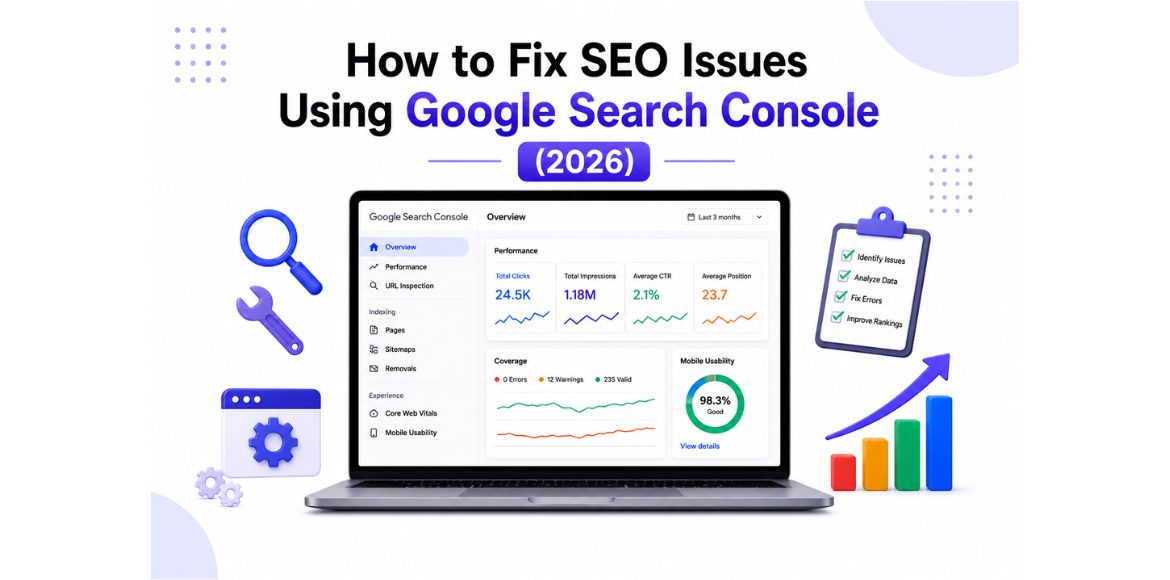
Laptop displaying Google Search Console dashboard with SEO performance metrics and text about fixing SEO issues in 2026.
Introduction

If your website is not ranking on Google, getting low traffic, or showing impressions but no clicks, the issue is often not your content—it’s your SEO setup.

Many businesses invest in:

But still struggle with visibility.

The real problem?
Technical SEO issues that go unnoticed.

This is where Google Search Console (GSC) becomes essential.

In this blog, you’ll learn how to identify and fix SEO issues using Google Search Console to improve your rankings and traffic.

What is Google Search Console?

Google Search Console is a free tool by Google that helps you monitor and improve your website’s presence in search results.

It helps you:

  • Track website performance
  • Identify indexing issues
  • Fix technical SEO errors
  • Improve search visibility

In simple terms:
It tells you why your website is not performing on Google and how to fix it

Why Fixing SEO Issues is Important in 2026

SEO today is not just about keywords—it’s about performance, structure, and technical health.

Fixing SEO issues helps you:

Without fixing these issues, even good content won’t rank.

Common SEO Issues You Can Fix Using Google Search Console

Before jumping into solutions, here are the most common problems businesses face:

1. Pages Not Indexing

Your pages are not appearing in search results.

2. Low Click-Through Rate (CTR)

You get impressions, but users don’t click.

3. Redirect Issues

Google indexes the wrong page or skips important pages.

4. Sitemap Errors

Search engines cannot properly crawl your website.

How to Fix SEO Issues Using Google Search Console

Here’s a step-by-step approach to fixing these issues:

1. Fix Indexing Issues

One of the most common problems is pages not being indexed.

How to check:

  • Go to Pages / Coverage report
  • Identify “Not indexed” pages

How to fix:

After fixing, use URL Inspection → Request Indexing

2. Submit and Optimize Sitemap

A sitemap helps Google understand your website structure.

Steps:

Why it matters:

  • Helps Google discover pages faster
  • Improves indexing efficiency

Always keep your sitemap updated.

3. Use URL Inspection Tool

The URL Inspection Tool helps you analyze individual pages.

You can:

  • Check if a page is indexed
  • Identify errors
  • Request indexing

Best use cases:

  • After publishing new content
  • After fixing SEO issues

 This speeds up crawling and indexing.

4. Fix Redirect Issues

Redirect issues can prevent proper indexing.

What it means:

A page is redirecting instead of showing content.

How to fix:

  • Avoid unnecessary redirects
  • Check the correct destination URLs
  • Ensure the final page is indexable
5. Improve CTR Using Performance Data

Getting impressions but no clicks? This is a common issue.

How to check:

  • Go to Performance report

Identify:

  • High impressions + low clicks

How to fix:

  • Optimize title tags
  • Improve meta descriptions
  • Use stronger keywords

 This can significantly increase your traffic.

Pro Tips to Improve SEO Using GSC

To get better results, follow these best practices:

  • Monitor GSC regularly
  • Fix errors immediately
  • Improve internal linking
  • Optimize mobile performance
  • Update outdated content

Small improvements can lead to big ranking gains.

Common Mistakes to Avoid

Avoid these mistakes while using Google Search Console:

  • Ignoring indexing issues
  • Not submitting sitemap
  • Overusing redirects
  • Not analyzing performance data
  • Fixing issues without reindexing

Future of SEO with Google Search Console

SEO in 2026 is becoming more:

  • Data-driven
  • Technical
  • User-focused

Google Search Console will continue to be a key tool for:

  • Technical SEO
  • Performance tracking
  • Indexing optimization

Businesses that use it effectively will stay ahead.

How Adikarah Helps You Fix SEO Issues

At Adikarah, we help businesses:

  • Identify SEO problems
  • Fix technical issues
  • Improve rankings
  • Generate quality leads

Our approach focuses on:

  • Data-driven SEO
  • Performance optimization
  • Conversion-focused strategies

Conclusion

If your website is not performing well, the issue is often not your content—it’s your SEO foundation.

Google Search Console helps you:

  • Identify problems
  • Fix them
  • Improve visibility

Start using it effectively to grow your business online.

FAQS

1. What is Google Search Console used for?

Digital marketing services in Bangalore
Google Search Console is used to monitor website performance, fix SEO issues, and improve rankings on Google.
2. How do I fix SEO issues using Google Search Console?

Digital marketing services in Bangalore
You can fix SEO issues by checking indexing problems, submitting a sitemap, fixing errors, and improving CTR using performance data.
3. Why is my website not ranking on Google?

Digital marketing services in Bangalore
Your website may not rank due to indexing issues, technical SEO errors, poor optimization, or low-quality content.
4. How do I fix pages that are not indexed?

Our Digital Marketing Services
Use the URL Inspection tool, improve content quality, add internal links, and request indexing in Google Search Console.
5. How can I improve CTR using Google Search Console?

Digital marketing services in Bangalore
You can improve CTR by optimizing titles, meta descriptions, and targeting high-impression keywords.

Leave A Comment

Create your account