


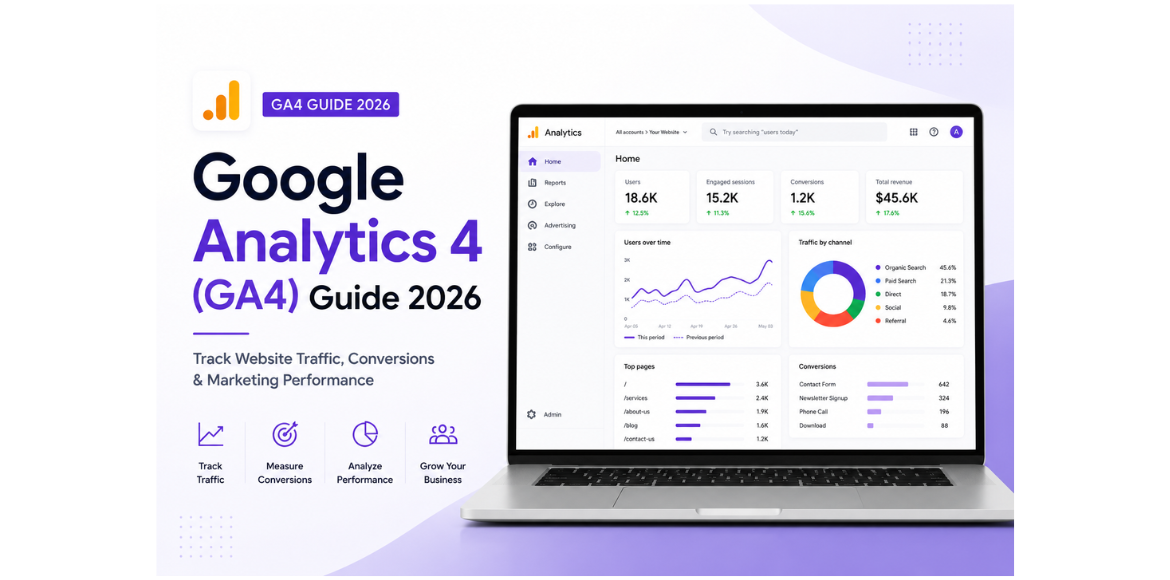
Google Analytics 4 (GA4) Guide 2026: Track Website Traffic, Conversions & Marketing Performance
Introduction
Understanding how visitors interact with your website is no longer optional—it’s essential. Whether you’re running a business website, an eCommerce store, a blog, or a service-based company, making data-driven decisions helps improve user experience, generate more leads, and increase revenue.
This is where Google Analytics 4 (GA4) comes in.
GA4 is Google’s latest analytics platform that helps businesses measure website traffic, user behavior, conversions, and marketing performance across websites and mobile apps. Unlike Universal Analytics, which primarily tracked sessions and pageviews, GA4 focuses on user events, giving businesses a much deeper understanding of customer journeys.
In this comprehensive 2026 guide, you’ll learn everything you need to know about Google Analytics 4, including its features, setup process, reports, conversions, events, AI-powered insights, and best practices.
What is Google Analytics 4 (GA4)?
Google Analytics 4 (GA4) is Google’s next-generation web analytics platform designed to help businesses understand how users interact with their digital properties.
Instead of relying mainly on sessions, GA4 uses an event-based data model, where every user interaction—such as page views, button clicks, video plays, file downloads, purchases, and form submissions—is recorded as an event.
This flexible approach provides more accurate and detailed insights into customer behavior across multiple devices and platforms.
GA4 is suitable for:
- Business websites
- E-commerce stores
- SaaS companies
- Mobile apps
- Educational websites
- Blogs
- Healthcare websites
- Real estate businesses
- Local service providers
Why Google Analytics 4 Matters in 2026
Digital marketing has evolved significantly over the past few years. Privacy regulations, AI-powered search experiences, and cross-device browsing have changed how businesses collect and analyze data.
GA4 helps businesses adapt by offering:
- Privacy-first measurement
- Cookieless tracking capabilities
- AI-powered predictive insights
- Cross-platform reporting
- Advanced audience building
- Better attribution modeling
- Integration with Google Ads
- Machine learning-based recommendations
These features make GA4 one of the most powerful marketing analytics platforms available today.
Key Features of Google Analytics 4
1. Event-Based Tracking
Everything in GA4 is an event.
Examples include:
- Page view
- Scroll
- Button click
- File download
- Video start
- Form submission
- Purchase
- Newsletter signup
This allows businesses to measure exactly how users engage with their websites.
2. Cross-Platform Analytics
Users may visit your business through:
- Desktop
- Mobile
- Tablet
- Mobile application
GA4 combines user activity from multiple devices into one unified customer journey.
3. AI-Powered Insights
GA4 uses machine learning to automatically detect unusual trends.
For example:
- Sudden increase in traffic
- Drop in conversions
- Increase in purchases
- Traffic spikes from specific countries
- High-performing marketing campaigns
These insights help marketers react quickly.
4. Predictive Metrics
GA4 can estimate future user behavior using AI.
Examples include:
- Purchase probability
- Churn probability
- Revenue prediction
- Likely returning users
These predictions help businesses optimize marketing budgets.
5. Enhanced Measurement
Without adding extra code, GA4 can automatically track:
- Page views
- Scrolls
- Outbound link clicks
- File downloads
- Site search
- Video engagement
This reduces implementation effort.
6. Better Privacy Controls
GA4 is built with privacy regulations in mind.
It supports:
- Consent Mode
- Data deletion requests
- IP anonymization
- Reduced dependence on cookies
This makes GA4 more future-ready.
How GA4 Works
GA4 follows a simple process:
- Visitor lands on your website.
- Every interaction becomes an event.
- Events are sent to Google Analytics.
- GA4 processes the data.
- Reports display user behavior, traffic, and conversions.
This event-based structure provides more flexibility than older analytics systems.
Setting Up Google Analytics 4
Setting up GA4 typically involves the following steps:
Step 1: Create a GA4 Property
Within your Google Analytics account:
- Create a new property
- Select your time zone
- Choose your currency
Step 2: Add a Data Stream
Choose:
- Website
- Android App
- iOS App
For websites, enter your domain and enable Enhanced Measurement.
Step 3: Install the Tracking Code
You can install GA4 using:
- Google Tag Manager
- Direct website code
- CMS plugins (WordPress, Shopify, etc.)
Step 4: Verify Tracking
Open the website.
Visit the Realtime Report.
If users appear, tracking is working correctly.
Understanding GA4 Reports
GA4 offers several built-in reports that help businesses monitor website performance.
Realtime Report
Shows what’s happening on your website right now.
Useful for:
- Testing campaigns
- Verifying tracking
- Monitoring live traffic
Metrics include:
- Active users
- Events
- Traffic source
- Device type
- Country
Acquisition Report
Shows where your visitors come from.
Traffic sources include:
- Organic Search
- Google Ads
- Social Media
- Email Marketing
- Referral Websites
- Direct Traffic
This report helps identify the channels driving the most visitors.
Engagement Report
Measures how users interact with your website.
Key metrics:
- Engaged sessions
- Average engagement time
- Events per session
- Views
- Landing pages
These insights help improve content and user experience.
Monetization Report
Ideal for eCommerce businesses.
Tracks:
- Revenue
- Purchases
- Product performance
- Shopping behavior
- Checkout funnel
Retention Report
Shows how often users return to your website.
Useful for:
- Subscription businesses
- SaaS companies
- Membership websites
- Online communities
Higher retention usually indicates stronger customer loyalty.
What are Events in GA4?
Events are the foundation of Google Analytics 4.
Every user action is recorded as an event.
Examples include:
Event | Purpose |
page_view | User visits a page |
scroll | User reaches 90% of a page |
click | Clicks an outbound link |
purchase | Product purchased |
login | User signs in |
sign_up | Account created |
generate_lead | Lead form submitted |
search | Internal website search |
Businesses can also create custom events tailored to their goals.
What are Conversions in GA4?
Conversions are events marked as important business actions.
Common conversion examples:
- Contact form submission
- Newsletter signup
- Phone call click
- Product purchase
- Appointment booking
- Demo request
- Quote request
- File download
Tracking conversions helps measure marketing success and return on investment (ROI).
Measuring Website Traffic in GA4
GA4 provides valuable traffic insights such as:
- Total users
- New users
- Returning users
- Sessions
- Engaged sessions
- Average engagement time
- Bounce rate
- Views
- Landing pages
- Exit pages
Instead of focusing only on traffic volume, GA4 emphasizes the quality of user engagement.
Tracking Marketing Campaign Performance
GA4 helps evaluate marketing campaigns across multiple channels.
You can analyze:
- Organic SEO traffic
- Google Ads performance
- Facebook campaigns
- Instagram campaigns
- LinkedIn campaigns
- Email campaigns
- Referral traffic
- Influencer campaigns
Using UTM parameters allows marketers to identify exactly which campaigns generate traffic and conversions.
GA4 and Google Ads Integration
Connecting GA4 with Google Ads offers several advantages:
- Import conversions
- Build remarketing audiences
- Analyze campaign performance
- Improve Smart Bidding
- Measure ROI accurately
This integration enables businesses to optimize advertising spend based on real user behavior.
GA4 Audiences
GA4 allows businesses to create custom audience segments such as:
- New visitors
- Returning users
- Cart abandoners
- High-value customers
- Frequent buyers
- Users from specific cities
- Mobile users
- Organic visitors
These audiences can be used for remarketing campaigns.
Common GA4 Metrics Explained
Understanding key metrics helps interpret reports more effectively.
- Users: Number of unique visitors.
- Sessions: Visits to your website.
- Engaged Sessions: Sessions lasting longer than 10 seconds, containing a conversion, or involving two or more page views.
- Engagement Rate: Percentage of engaged sessions.
- Average Engagement Time: Time users actively spend on your site.
- Conversions: Important actions completed by users.
- Revenue: Total income generated from tracked transactions.
Monitoring these metrics regularly helps identify opportunities to improve website performance.
GA4 Best Practices for 2026
To get the most value from GA4:
- Configure Enhanced Measurement.
- Set up meaningful conversion events.
- Use Google Tag Manager for flexible tracking.
- Connect GA4 with Google Ads and Search Console.
- Apply UTM parameters consistently.
- Exclude internal company traffic.
- Review reports weekly.
- Create custom dashboards for key business metrics.
- Monitor engagement instead of only page views.
- Use predictive audiences for remarketing.
Following these practices ensures cleaner data and more actionable insights.
Common GA4 Mistakes to Avoid
Many businesses don’t get the full value from GA4 because of avoidable mistakes.
Avoid these common issues:
- Not configuring conversions.
- Ignoring event tracking.
- Failing to filter internal traffic.
- Using inconsistent campaign tags.
- Not linking GA4 with Google Ads or Search Console.
- Looking only at traffic numbers instead of engagement.
- Forgetting to test tracking after website updates.
Regular audits help keep your analytics accurate and reliable.
Benefits of Google Analytics 4 for Businesses
Implementing GA4 can help businesses:
- Understand customer behavior.
- Improve website user experience.
- Increase lead generation.
- Optimize marketing campaigns.
- Measure return on investment (ROI).
- Reduce wasted advertising spend.
- Build effective remarketing audiences.
- Make data-driven business decisions.
- Identify top-performing content.
- Support long-term business growth.
Whether you’re a startup or an established enterprise, GA4 provides the insights needed to make smarter marketing decisions.
Conclusion
Google Analytics 4 has become an essential tool for businesses that want to understand their audience, improve website performance, and maximize marketing results. Its event-based tracking, AI-powered insights, predictive metrics, and cross-platform reporting provide a more complete picture of customer behavior than ever before.
By setting up GA4 correctly, tracking meaningful events and conversions, integrating it with tools like Google Ads and Google Search Console, and reviewing reports regularly, businesses can make informed decisions that drive growth. Whether your goal is to generate more leads, increase online sales, or improve user engagement, GA4 provides the data needed to measure success and continuously optimize your digital marketing efforts.
Start using Google Analytics 4 effectively today, and turn website data into actionable insights that help your business grow in 2026 and beyond.
Ready to Turn Website Data into Business Growth?
Google Analytics 4 provides the insights you need to understand your audience, improve conversions, and make smarter marketing decisions. If you need help setting up GA4, tracking conversions, or optimizing your analytics, our experts are here to help.
👉 Contact Adikarah Tech today for professional GA4 setup and digital marketing solutions.
FAQS
Is Google Analytics 4 free?

Can GA4 track form submissions?

Does GA4 replace Universal Analytics?

Is Google Tag Manager required for GA4?

How often should I check GA4 reports?