


Robots.txt Explained: How to Control Google Crawling the Right Way (2026)
Introduction
A well-optimized website isn’t just about creating great content—it also requires helping search engines crawl your pages efficiently. One of the simplest yet most powerful tools for managing this process is the robots.txt file.
Many website owners assume that search engines automatically crawl every page, but without proper guidance, crawlers may waste time on unnecessary URLs, duplicate pages, or private directories. This can impact your site’s crawl efficiency and overall SEO performance.
The robots.txt file allows you to communicate directly with search engine bots by specifying which pages or directories they should crawl and which they should avoid.
In this guide, you’ll learn what Robots.txt is, why it matters for SEO in 2026, how it works, common mistakes to avoid, and best practices for optimizing your website’s crawlability.
What Is Robots.txt?
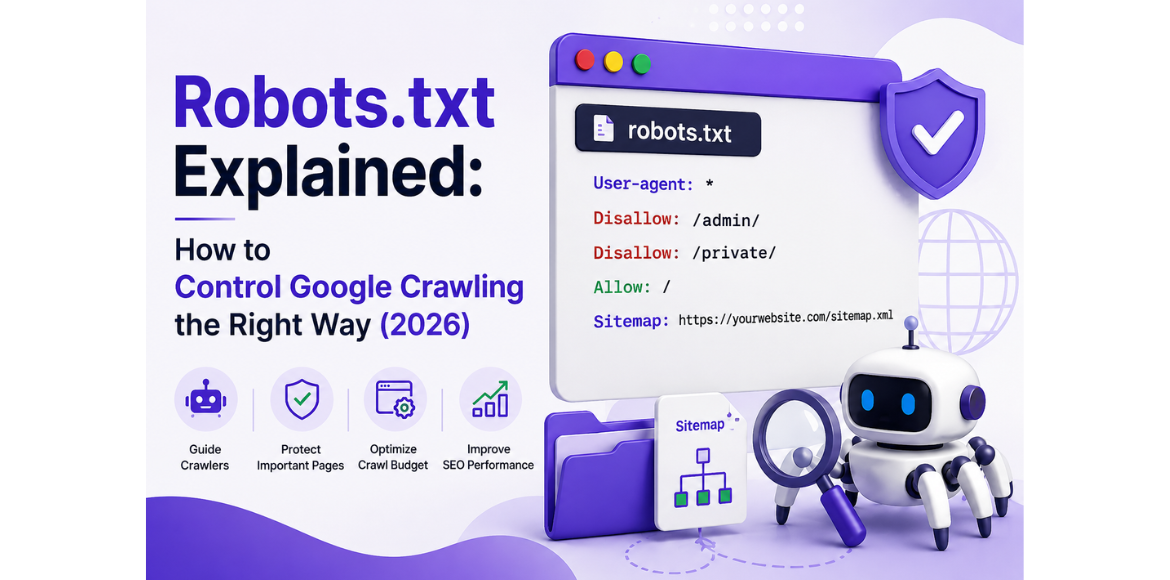
A robots exclusion file is a plain-text document placed in the root directory of a website. It provides instructions to search engine crawlers about which pages or sections they can access.
It follows the Robots Exclusion Protocol (REP) and is typically checked by Googlebot before it crawls a website.
For example:
User-agent: *
Disallow: /admin/
Allow: /
Sitemap: https://example.com/sitemap.xmlWhy Is Robots.txt Important for SEO?
Schema Markup is a type of structured data added to a webpage that helps search engines understand the meaning and context of your content rather than simply reading the text.
For example, if a page mentions “Apple,” a search engine may not immediately know whether it refers to the technology company or the fruit. Structured data provides additional context, making the information easier to interpret.
It works as a standardized language between websites and search engines, helping them understand entities, relationships, and key information. This can also make eligible pages suitable for enhanced search features and richer search results.
What Is Structured Data?
A properly configured robots.txt file helps search engines crawl your website more efficiently. Although it does not directly improve rankings, it supports technical SEO by guiding crawlers toward valuable content.
Key benefits include:
- Improves crawl efficiency
- Reduces unnecessary crawling
- Helps manage duplicate or low-value URLs
- Supports crawl budget optimization
- Makes your XML sitemap easier to discover
- Strengthens your technical SEO setup
For large websites with thousands of URLs, clear crawler instructions can help search engines use their resources more effectively and prioritize important pages.
How Does Robots.txt Work?
When Googlebot visits your website, it first looks for the robots.txt file at:
https://yourwebsite.com/robots.txt
The file contains instructions such as:
User-agent
Specifies which search engine crawler the rule applies to.
Example:
User-agent: Googlebot
Disallow
Blocks crawlers from accessing specific pages or directories.
Example:
Disallow: /private/
Allow
Permits crawlers to access specific pages within blocked directories.
Example:
Allow: /images/
Sitemap
Provides the location of your XML sitemap.
Example:
Sitemap: https://yourwebsite.com/sitemap.xml
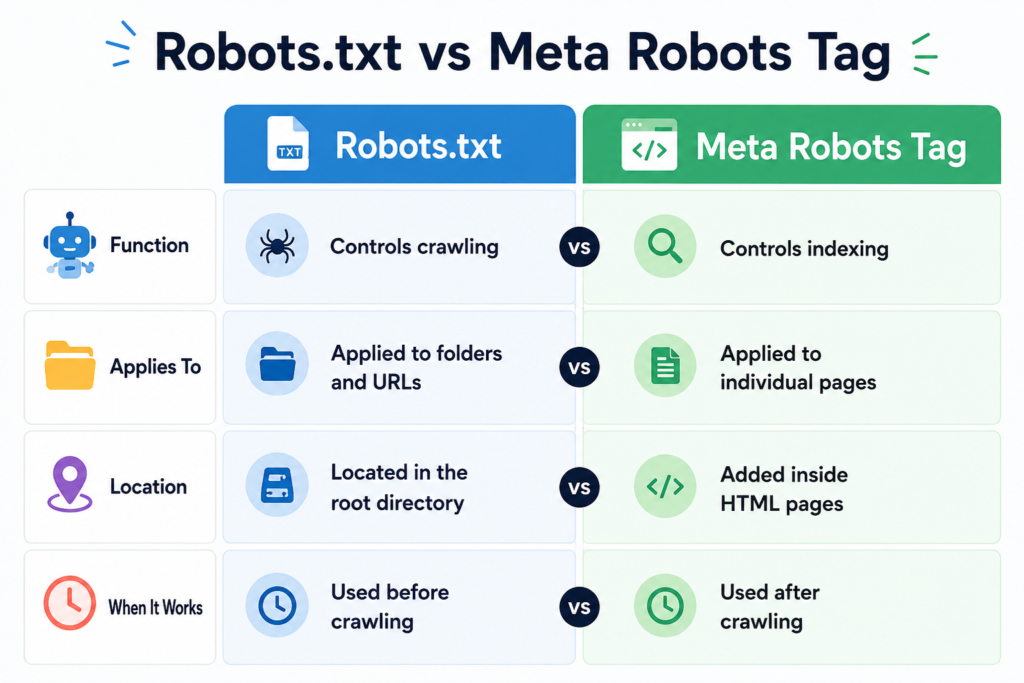
Robots.txt vs Meta Robots Tag
Best Practices for Robots.txt
Follow these best practices to maximize crawl efficiency:
Keep It Simple
Only block pages that don’t provide SEO value.
Examples include:
- Admin folders
- Login pages
- Temporary files
- Internal search results
Include Your XML Sitemap
Adding your XML sitemap helps search engines discover important pages faster.
Example:
Sitemap: https://yourwebsite.com/sitemap.xml
Avoid Blocking Important Pages
Never block:
- Blog posts
- Service pages
- Product pages
- Category pages
Blocking important content may prevent search engines from crawling valuable pages.
Test Before Publishing
Always validate your robots.txt file using Google Search Console to ensure there are no errors.
Common Robots.txt Mistakes
Even a small mistake in the robots.txt file can affect your website’s visibility.
Avoid these common errors:
Blocking the Entire Website
User-agent: *
Disallow: /
This blocks all search engines from crawling your website.
Blocking CSS and JavaScript Files
Google needs access to CSS and JavaScript to understand page layout and user experience.
Blocking these resources may affect indexing and page rendering.
Using Robots.txt to Hide Sensitive Information
Robots.txt is publicly accessible.
It should never be used to protect confidential files or sensitive data.
Forgetting to Update Robots.txt
Whenever your website structure changes, review your robots.txt file to ensure it still reflects your SEO strategy.
Robots.txt and Crawl Budget
Crawl budget refers to the number of pages Googlebot is willing to crawl on a website during a given period.
For larger websites, spending crawl resources on low-value URLs can delay the discovery of important content.
Clear crawler directives can help search engines focus on:
- High-value landing pages
- Blog articles
- Service pages
- Product pages
This approach improves crawl efficiency while ensuring important content remains accessible to search engines.
Robots.txt and Google Search Console
Google Search Console helps monitor how Google crawls your website.
Use it to:
- Identify crawl errors
- Check blocked resources
- Submit XML sitemaps
- Monitor indexed pages
- Validate robots.txt updates
Regular monitoring ensures your crawling directives support your SEO goals.
Robots.txt Checklist
- Create a robots.txt file in your website’s root directory
- Block unnecessary folders only
- Allow search engines to access important pages
- Include your XML sitemap
- Test using Google Search Console
- Avoid blocking CSS and JavaScript
- Review the file after website updates
Conclusion
The robots.txt file may be small, but it plays an important role in technical SEO. By guiding search engine crawlers to your most valuable pages while preventing unnecessary crawling, it helps improve crawl efficiency and supports better website management.
When combined with a well-structured XML sitemap, optimized internal linking, and regular monitoring through Google Search Console, robots.txt becomes an essential part of a strong SEO foundation.
Rather than blocking pages unnecessarily, focus on creating a robots.txt file that helps search engines understand your website and prioritize the content that matters most.
Ready to Improve Your Website’s Technical SEO?
A properly configured crawler directive file is just one part of a successful SEO strategy. Technical issues, crawl errors, and indexing problems can limit your website’s visibility, even when your content is high quality.
At Adikarah Tech, our SEO specialists conduct comprehensive technical SEO audits, improve crawlability, optimize website performance, and implement strategies designed to support sustainable organic growth.
📞 Contact Adikarah Tech today for a free SEO consultation and discover how technical SEO can improve your website’s search performance.
FAQS
1. What is Robots.txt in SEO?

2. Does it affect Google indexing?

3. How can I test the file?

4. Should I add an XML sitemap?