


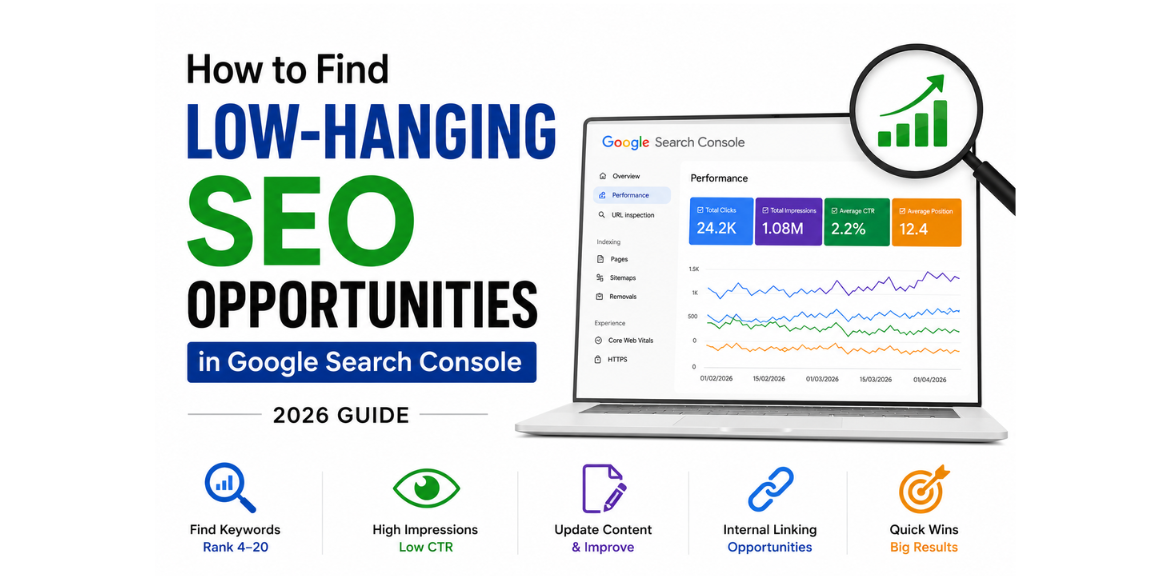
How to Find Low-Hanging SEO Opportunities in Google Search Console (2026 Guide)
Introduction
Search Engine Optimization (SEO) is often seen as a long-term strategy, but not every SEO improvement requires months of effort. Some opportunities can deliver quick wins with minimal changes. These are known as low-hanging SEO opportunities.
Google Search Console (GSC) is one of the best free tools for finding these opportunities. It provides valuable data about your website’s search performance, helping you identify pages and keywords that are already close to ranking higher.
In this guide, you’ll learn how to use Google Search Console to discover low-hanging SEO opportunities and increase your organic traffic in 2026.
What Are Low-Hanging SEO Opportunities?
Low-hanging SEO opportunities are pages or keywords that already have some visibility in Google Search but need small improvements to achieve better rankings and traffic.
Examples include:
- Keywords ranking in positions 4–20
- Pages with high impressions but low click-through rates (CTR)
- Content that has lost rankings over time
- Pages that need content updates
- URLs with strong engagement but poor visibility
Since these pages already have some authority and relevance, optimizing them is usually faster than creating entirely new content.
Why Google Search Console Is Perfect for Finding SEO Opportunities
Google Search Console provides direct data from Google about:
- Search impressions
- Clicks
- Average ranking positions
- Click-through rates
- Search queries
Unlike many SEO tools, GSC shows how your website actually performs in Google Search, making it an excellent resource for identifying ranking opportunities.
Step 1: Find Keywords Ranking Between Positions 4 and 20
One of the easiest SEO wins comes from improving keywords that are already close to the first page or top positions.
How to Find Them
- Open Google Search Console.
- Navigate to Performance > Search Results.
- Enable:
- Total Clicks
- Total Impressions
- Average CTR
- Average Position
- Scroll down to the Queries section.
- Filter positions between 4 and 20.
These keywords already have ranking potential. A few content updates, internal links, or CTR improvements can move them higher.
Why This Works
Moving a keyword from position 10 to position 3 can significantly increase traffic without creating new content.
Step 2: Identify High-Impression, Low-CTR Pages
Sometimes your page appears frequently in search results but receives very few clicks.
This usually indicates:
- Weak page titles
- Poor meta descriptions
- Search intent mismatch
- Strong competition
How to Find Them
- Go to Performance Report.
- Sort pages by impressions.
- Look for pages with:
- High impressions
- Low CTR
Optimization Tips
- Add numbers to titles.
- Use power words.
- Include the target keyword near the beginning.
- Rewrite meta descriptions to improve engagement.
Example
Instead of:
“SEO Tips for Websites”
Use:
“10 Proven SEO Tips to Improve Google Rankings in 2026“
Step 3: Discover Pages Losing Traffic
Google Search Console helps identify content that has gradually lost visibility.
Signs of Declining Content
- Reduced impressions
- Falling rankings
- Lower clicks
How to Improve
- Update outdated information.
- Add new statistics and examples.
- Expand thin sections.
- Improve internal linking.
- Refresh images and screenshots.
Content freshness remains an important ranking factor in competitive industries.
Step 4: Use Internal Linking to Boost Rankings
Internal links help search engines understand your website structure and pass authority between pages.
Best Practices
- Link from high-performing pages to underperforming pages.
- Use descriptive anchor text.
- Add relevant contextual links naturally within content.
For example, if you have a blog about keyword rankings, link it to related articles on technical SEO, content optimization, and Google Search Console.
Step 5: Analyze Queries With Growing Impressions
Sometimes a page begins receiving impressions for keywords you never intentionally targeted.
These hidden opportunities can reveal:
- New content ideas
- Additional keyword targets
- Emerging trends
How to Find Them
- Open Search Console.
- Select a page.
- Review all associated search queries.
- Look for keywords with growing impressions.
If relevant, add those keywords naturally to your content.
Step 6: Optimize Existing Content Before Creating New Content
Many businesses focus on publishing new blogs while ignoring existing content.
However, updating existing content often produces faster SEO results.
Areas to Improve
- Headings (H1, H2, H3)
- Content depth
- Keyword placement
- Internal links
- Images and alt text
- User experience
A well-optimized existing page can outperform a newly published article.
Step 7: Monitor Performance After Optimization
SEO improvements should always be tracked.
After making updates:
- Monitor rankings weekly.
- Compare clicks and impressions.
- Measure CTR improvements.
- Track keyword movement.
Google Search Console allows you to evaluate whether your changes are generating positive results.
Common Mistakes to Avoid
Targeting Keywords With No Search Intent
Always ensure your content matches what users are actually searching for.
Keyword Stuffing
Overusing keywords can hurt readability and rankings.
Ignoring Mobile Experience
Most searches now occur on mobile devices.
Not Updating Older Content
Outdated content often loses visibility over time.
Focusing Only on New Content
Optimizing existing pages can produce quicker wins than publishing new articles.
Conclusion
Finding low-hanging SEO opportunities is one of the fastest ways to improve your website’s search performance. Instead of chasing highly competitive keywords, focus on pages and queries that already show potential.
Google Search Console provides all the data you need to uncover these opportunities. By identifying keywords ranking between positions 4 and 20, improving CTR, updating older content, and strengthening internal linking, you can achieve meaningful SEO gains without starting from scratch.
If you’re looking to improve keyword rankings and grow organic traffic, start by exploring your Google Search Console data today. The biggest SEO opportunities may already be hiding in your existing content.
Ready to Boost Your Website’s SEO Performance?
Finding low-hanging SEO opportunities is one of the fastest and most cost-effective ways to increase organic traffic. With the right strategy, you can improve existing rankings, attract more visitors, and generate better business results without starting from scratch.
At Adikarah, we help businesses uncover hidden SEO opportunities and build data-driven strategies that deliver measurable growth.
Why Partner with Adikarah?
✔ Comprehensive SEO Audits
✔ Google Search Console Analysis
✔ Keyword & Content Optimization
✔ Technical SEO Improvements
✔ On-Page & Internal Linking Strategy
✔ Performance Tracking & Reporting
Ready to turn untapped SEO opportunities into higher Google rankings?
👉 Contact Adikarah today for a free SEO consultation and discover how strategic SEO can help your business attract more traffic, generate quality leads, and achieve sustainable online growth.
FAQS
1. What are low-hanging SEO opportunities?

2. How do I find low-hanging SEO opportunities in Google Search Console?

3. Which Google Search Console metrics should I focus on?

4. Can updating existing content improve SEO rankings?

5. How often should I analyze Google Search Console data?