


How to Optimize Google Business Profile for More Local Leads in 2026 (Complete Guide)
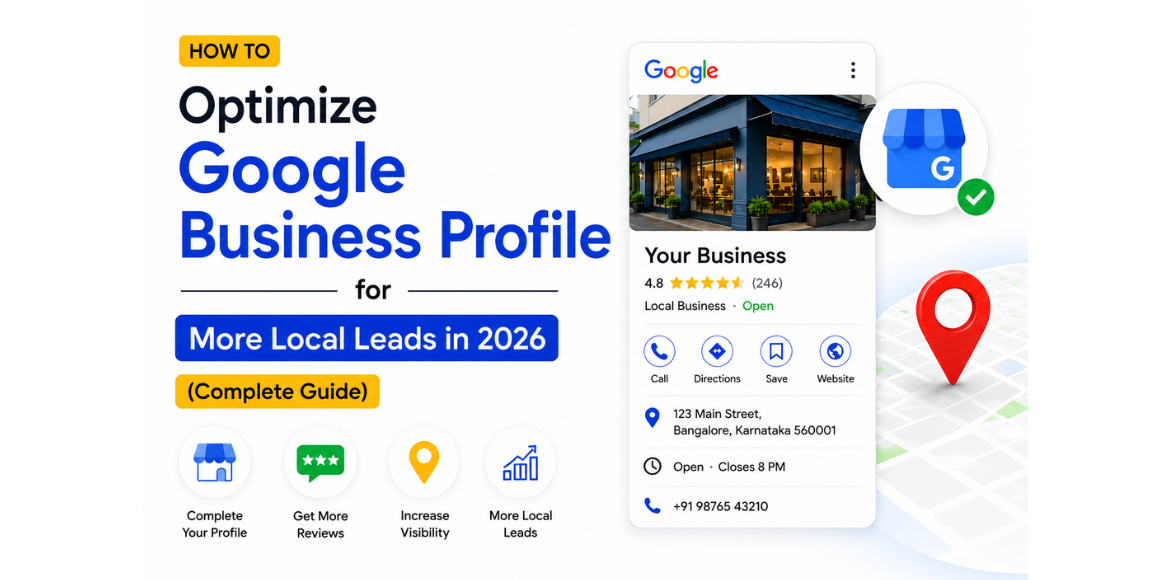
Google Business Profile optimization for local SEO and lead generation in 2026
Introduction

If you’re a local business owner, your Google Business Profile (GBP) can be one of the most powerful tools for generating leads in 2026. When potential customers search for services near them, Google often displays local business listings before traditional website results.

A well-optimized Google Business Profile helps your business appear in Google Maps, local search results, and the Google Local Pack, making it easier for customers to discover and contact you.

In this guide, you’ll learn how to optimize your Google Business Profile to improve local visibility, attract more customers, and generate more leads.

What Is Google Business Profile?

Google Business Profile (formerly Google My Business) is a free tool that allows businesses to manage how they appear on Google Search and Google Maps.

Your profile includes:

  • Business name
  • Address
  • Phone number
  • Website
  • Business hours
  • Reviews
  • Photos and videos
  • Services and products
  • Business description

A complete and optimized profile helps Google understand your business and improves your chances of ranking in local search results.

Why Google Business Profile Matters for Local SEO

Local searches continue to grow every year. Customers frequently search for:

When your profile is properly optimized, Google is more likely to show your business to these potential customers.

Benefits of an Optimized Google Business Profile
  • Higher visibility in local search results
  • Better rankings in Google Maps
  • Increased website traffic
  • More phone calls and inquiries
  • Improved trust through customer reviews
  • More qualified local leads

    Businesses that implement effective local SEO tips for small businesses often achieve higher rankings in Google Maps and local search results.
Step 1: Complete Every Section of Your Profile

One of the most common mistakes businesses make is leaving profile information incomplete.

Make sure you fill out:

Business Name

Use your actual business name without keyword stuffing.

Business Category

Choose the most relevant primary category.

Example:

  • Digital Marketing Agency
  • SEO Agency
  • Marketing Consultant
Address

Ensure your address is accurate and consistent across all platforms.

Phone Number

Use a local phone number whenever possible.

Website URL

Link directly to your website.

Business Hours

Keep business hours updated, including holidays.

Step 2: Write an SEO-Friendly Business Description

Your business description should clearly explain:

  • Who you are
  • What services you offer
  • Where you serve customers
  • What makes your business unique

Example

Adikarah Tech is a leading digital marketing agency in Bangalore specializing in SEO, social media marketing, PPC advertising, website development, and lead generation services. We help businesses increase online visibility, attract qualified leads, and drive sustainable growth through data-driven marketing strategies.

Include relevant keywords naturally without overstuffing.

Step 3: Optimize Your Services Section

Many businesses ignore the Services section.Combining Google Business Profile optimization with a strong technical SEO checklist can significantly improve your search performance.

Add all major services with clear descriptions.

Example:

SEO Services

Improve search engine rankings and organic traffic through technical SEO, content optimization, and link-building strategies.

Social Media Marketing

Grow your brand presence and generate leads through strategic social media campaigns.

PPC Advertising

Drive targeted traffic and conversions through Google Ads and Meta Ads campaigns.

The more detailed your services, the easier it is for Google to understand your business.

Step 4: Define Your Service Areas

If you serve multiple locations, add all relevant service areas.

Examples:

  • Bangalore
  • Whitefield
  • Marathahalli
  • HSR Layout
  • Electronic City
  • Koramangala

This helps improve visibility for location-specific searches.

Step 5: Upload High-Quality Photos Regularly

Businesses with photos often receive more engagement than those without visual content.

Upload:

  • Office photos
  • Team photos
  • Project images
  • Before-and-after results
  • Service-related visuals
  • Company events

Regular photo uploads signal activity and credibility to Google.

Step 6: Get More Customer Reviews

Reviews are among the strongest local ranking factors.

How to Get More Reviews
  • Ask satisfied customers directly
  • Send review requests after project completion
  • Share your review link through email and WhatsApp
  • Include review requests in follow-up communications
Best Practices
  • Respond to every review
  • Thank customers for positive feedback
  • Address negative reviews professionally

The quantity, quality, and recency of reviews influence local rankings.

Step 7: Publish Google Business Profile Posts

Google allows businesses to publish updates directly on their profiles.

Post regularly about:

  • New services
  • Blog articles
  • Company updates
  • Offers and promotions
  • Success stories
  • Industry insights

Consistent posting keeps your profile active and increases engagement.

Step 8: Use Relevant Keywords Naturally

Include relevant keywords throughout your profile.

Examples:

Avoid keyword stuffing, as it can negatively impact user experience. To discover which keywords are driving impressions, learn how to fix SEO issues using Google Search Console and uncover valuable optimization opportunities.


Step 9: Enable Messaging and Call Features

Many customers prefer quick communication.

Enable:

  • Phone calls
  • Messaging
  • Appointment booking (if applicable)

Reducing friction increases the likelihood of generating leads.

Step 10: Monitor Performance with Google Business Profile Insights

Regularly review performance metrics such as:

  • Search views
  • Map views
  • Website clicks
  • Phone calls
  • Direction requests
  • Customer actions

These insights help identify opportunities for improvement. In addition to tracking profile performance, you should focus on strategies to increase organic CTR in Google Search and convert more impressions into clicks.

Common Google Business Profile Mistakes to Avoid

Incomplete Business Information

Missing information reduces trust and visibility.

Ignoring Customer Reviews

Unanswered reviews create a poor impression.

Using Incorrect Categories

Choosing irrelevant categories can affect rankings.

Inconsistent NAP Information

Your Name, Address, and Phone Number should remain consistent across all online platforms.

Inactive Profiles

Profiles that are not updated regularly may lose visibility over time.

Google Business Profile Optimization Checklist

✔ Complete all profile information

✔ Choose the correct primary category

✔ Add services and service descriptions

✔ Define service areas

✔ Upload high-quality photos

✔ Collect customer reviews

✔ Respond to all reviews

✔ Publish regular profile updates

✔ Enable calls and messaging

✔ Monitor profile insights monthly

Conclusion

Google Business Profile remains one of the most effective tools for local lead generation in 2026. Businesses that actively optimize their profiles are more likely to rank higher in Google Maps, attract local customers, and generate qualified leads.

By completing your profile, optimizing services, collecting reviews, posting updates, and monitoring performance, you can significantly improve your local search visibility and turn more searches into customers.

If you’re looking to improve your local SEO performance and generate more leads, investing time in Google Business Profile optimization is one of the highest-return marketing activities available today. Consistently updating your profile helps build topical authority for SEO, which strengthens your online presence and improves long-term rankings. Businesses that optimize their local presence today are also more likely to rank in Google’s AI Overviews as search continues to evolve.

Ready to Generate More Local Leads?

Your Google Business Profile can be one of the most powerful lead-generation tools for your business. A fully optimized profile helps you rank higher in Google Maps, attract more local customers, and increase calls, inquiries, and website visits.

Need help optimizing your Google Business Profile?

Adikarah Tech helps businesses improve local search visibility through Google Business Profile optimization, Local SEO, and digital marketing strategies that drive real results.

✅ Improve Google Maps Rankings
✅ Increase Local Visibility
✅ Generate More Qualified Leads
✅ Grow Your Business Faster

Contact Adikarah Tech today and start turning local searches into customers. 🚀

FAQS

1. What is Google Business Profile Optimization?

Digital marketing services in Bangalore
Google Business Profile Optimization is the process of improving your business listing on Google Search and Google Maps by updating business information, adding services, collecting reviews, and optimizing profile details to improve local search visibility and generate more leads.
2. How does Google Business Profile help with local SEO?

Digital marketing services in Bangalore
A well-optimized Google Business Profile helps your business appear in local search results and Google Maps, increasing visibility, website visits, phone calls, and customer inquiries from nearby users.
3. How often should I update my Google Business Profile?

Digital marketing services in Bangalore
It's recommended to update your profile regularly by posting business updates, adding new photos, updating services, and responding to customer reviews. Regular activity signals to Google that your business is active and relevant.
4. Do customer reviews affect Google Maps rankings?

Our Digital Marketing Services
Yes. Customer reviews are one of the most important local ranking factors. Businesses with more positive reviews and active responses often rank higher in Google Maps and local search results.
5. How long does it take to see results from Google Business Profile Optimization?

Digital marketing services in Bangalore
Most businesses start seeing improvements in visibility, calls, and customer engagement within a few weeks. However, significant ranking improvements typically take 1–3 months, depending on competition and optimization efforts.

Leave A Comment

Create your account