


How to Optimize Existing Blog Posts for Higher Google Rankings (2026 Guide)

How to optimize existing blog posts for higher Google rankings using SEO best practices in 2026
Introduction

Publishing new blog posts is important, but updating your existing content can often deliver faster SEO results. Many websites already have valuable articles that simply need better optimization to improve their rankings on Google.

By refreshing outdated content, improving keywords, and enhancing the user experience, you can increase organic traffic without creating an entirely new blog.

In this guide, we’ll walk through practical strategies to optimize your existing blog posts for better Google rankings in 2026.

Why Should You Optimize Existing Blog Posts?

Google rewards content that is accurate, relevant, and helpful. Over time, search trends, user intent, and ranking factors change, causing older content to lose visibility.

Updating existing articles can help you:

  • Improve keyword rankings
  • Increase organic traffic
  • Boost click-through rate (CTR)
  • Improve user engagement
  • Generate more leads
  • Build topical authority

Instead of writing ten new articles, updating five high-potential blogs can often produce better SEO results.

Step 1: Find Underperforming Blog Posts

The first step is identifying which pages need improvement.

Open Google Search Console and navigate to the Performance report.

Look for pages that have:

  • High impressions
  • Low clicks
  • Low CTR
  • Average position between 8 and 20

These pages already have visibility and usually require only minor improvements to rank higher.

Related Reading:
👉 How to Find Low-Hanging SEO Opportunities in Google Search Console (2026 Guide)

Step 2: Update Your Keywords

Search intent changes frequently. Keywords that performed well a year ago may no longer attract the same audience.

Review your content using tools like:

Update your article by naturally adding:

  • Primary keyword
  • Secondary keywords
  • Long-tail keywords
  • Related search terms

Avoid keyword stuffing. Focus on writing content that answers users’ questions.

Related Reading:
👉 How to Improve Keyword Rankings From Position 11 to Top 3 in Google

Step 3: Improve Your SEO Title and Meta Description

Your title tag and meta description directly influence your Click-Through Rate (CTR).

A good title should:

  • Include your primary keyword
  • Be under 60 characters
  • Clearly communicate value
  • Include the year when appropriate

Example:

❌ SEO Tips

✅ How to Optimize Existing Blog Posts for Higher Google Rankings (2026 Guide)
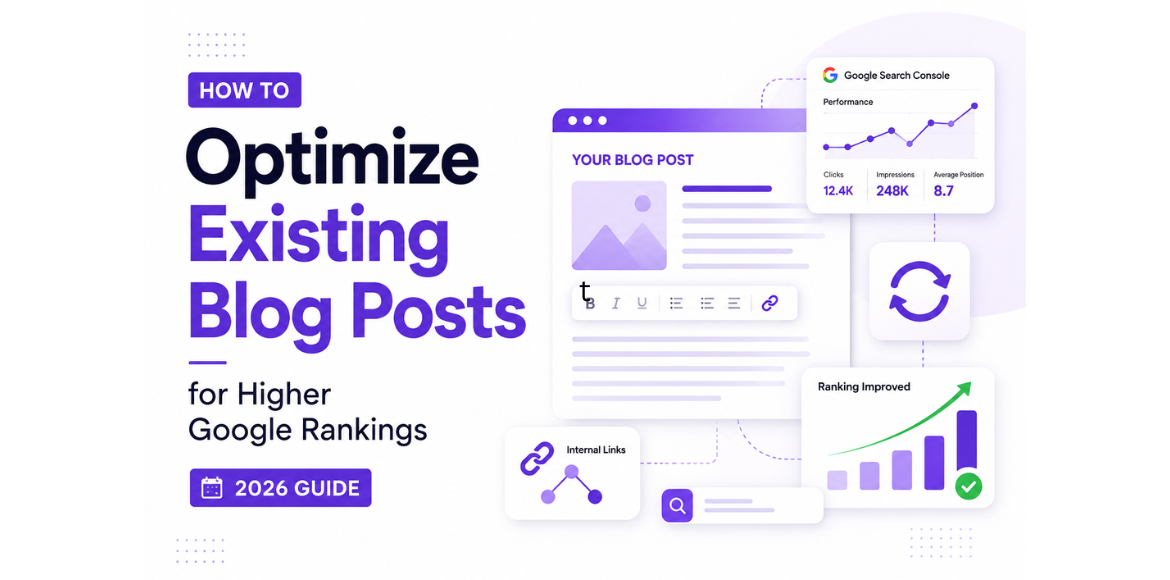
Write a compelling meta description that encourages users to click.

Related Reading:
👉 How to Increase Organic CTR in Google Search

Step 4: Refresh Outdated Content

Google prefers fresh and relevant content.

Update your blog by:

  • Replacing outdated statistics
  • Adding recent examples
  • Updating screenshots
  • Including the latest Google algorithm changes
  • Mentioning AI search trends where relevant

A regularly updated blog is more likely to remain competitive in search results.

Step 5: Expand the Content

Thin content often struggles to rank.

Improve your blog by adding:

  • Frequently Asked Questions
  • Expert tips
  • Practical examples
  • Case studies
  • Common mistakes
  • Updated tools and resources

Comprehensive content satisfies user intent and increases the chances of ranking for additional keywords.

Step 6: Add Internal Links

Internal linking is one of the easiest ways to improve SEO.

Link your article to other relevant pages on your website to help users discover more content and assist search engines in understanding your site’s structure.

For example, this article can link to:

These links keep visitors engaged while strengthening your overall SEO strategy.

Step 7: Optimize Images

Images improve readability, but unoptimized files can slow down your website.

Before publishing:

  • Compress images
  • Use descriptive filenames
  • Add keyword-rich alt text
  • Convert images to WebP format
  • Enable lazy loading

Image optimization improves page speed and user experience.

Step 8: Improve Readability

Users should be able to scan your content quickly.

Use:

  • Short paragraphs
  • Clear headings
  • Bullet points
  • Simple language
  • Relevant visuals

Better readability increases engagement and reduces bounce rates.

Step 9: Improve Technical SEO

Even excellent content may struggle to rank if your website has technical issues.

Check:

  • Page speed
  • Mobile responsiveness
  • Broken links
  • Core Web Vitals
  • HTTPS
  • Schema markup

Regular technical audits help maintain your website’s search performance.

Related Reading:
👉 Technical SEO Checklist for 2026

Step 10: Request Google to Reindex the Page

After updating your blog:

  1. Open Google Search Console.
  2. Inspect the updated URL.
  3. Click Request Indexing.

This helps Google discover and process your changes more quickly.

Common Mistakes to Avoid

Avoid these common optimization mistakes:

  • Updating only the publication date
  • Ignoring search intent
  • Using outdated information
  • Keyword stuffing
  • Not adding internal links
  • Forgetting image optimization
  • Leaving broken links
  • Publishing without requesting reindexing

SEO Optimization Checklist

Before republishing your blog, ensure you’ve completed the following:

  • Updated target keywords
  • Improved title tag
  • Rewritten meta description
  • Added new content
  • Updated images and alt text
  • Added internal links
  • Fixed broken links
  • Improved page speed
  • Included FAQs
  • Requested indexing in Google Search Console

Conclusion

Optimizing your existing blog posts is one of the most effective ways to improve Google rankings without constantly creating new content. By updating keywords, refreshing outdated information, improving internal linking, and enhancing the overall user experience, you can maximize the value of content you’ve already published.

Make content optimization a regular part of your SEO strategy, and you’ll see long-term improvements in search visibility, organic traffic, and lead generation.

Ready to Improve Your Google Rankings?

Don’t let your existing content lose its potential. Our SEO experts can help you optimize your blog posts and website to achieve better search visibility and long-term growth.

✅ Optimize Existing Blog Posts for Better Rankings
✅ Improve Organic Traffic & Keyword Performance
✅ Fix Technical SEO & On-Page Issues
✅ Increase Leads with Data-Driven SEO Strategies
✅ Get a Free SEO Consultation from Adikarah Tech

Start Growing Your Business with Smarter SEO — Contact Adikarah Tech Today!

FAQS

1. Why should I optimize existing blog posts instead of creating new ones?

Digital marketing services in Bangalore
Optimizing existing blog posts can improve Google rankings, increase organic traffic, and deliver faster SEO results because the content may already have search visibility, impressions, and backlinks.
2. How often should I update my existing blog posts?

Digital marketing services in Bangalore
Review and update important blog posts every 6 to 12 months, or whenever there are major Google algorithm updates, industry changes, or new information relevant to your audience.
3. What are the most important elements to optimize in a blog post?

Digital marketing services in Bangalore
Focus on updating your target keywords, title tag, meta description, headings, internal links, images, content freshness, and page speed to improve both SEO and user experience.
4. Can updating old blog posts improve Google rankings?

Our Digital Marketing Services
Yes. Refreshing outdated content, adding valuable information, and aligning it with current search intent can help improve keyword rankings, increase click-through rates (CTR), and attract more organic traffic.
5. Which tools can I use to optimize existing blog posts?

Digital marketing services in Bangalore
Some of the best SEO tools include Google Search Console for performance analysis, Google Analytics for user behavior insights, Google Keyword Planner for keyword research, Google PageSpeed Insights for speed optimization, and SEMrush for comprehensive SEO audits and competitor analysis.
  • Rick

    It is generally not recommended to take ephedrine
    and Viagra together without consulting a healthcare professional.

    Here is my homepage … penis enlargement injection cost

  • Alex Chen

    ¡Buen artículo! Claude Fable 5 en me ha servido para temas parecidos. Claude Fable 5

Leave A Comment

Create your account